Dance Afloat Mobile App
Android or iTunes
Dance Afloat App
Welcome to the Dance Afloat App help page. Here you will see tips on how to use the App on your mobile device.
- First thing, do you have a Smart Phone or Tablet? YES or No; if no then sorry you will not be able to use the App, but if yes then you can use the App on Android & Apple phones or Tablets only.
- Download the App from Google Play or the Apple App Store.
Once you have downloaded the App onto your mobile device you will need to register.
After registration & login you will gain access to all member areas.
There are different areas of the App you can use, from a Quiz to BBC news, availability of cruises, and a directory where there are names and address of suppliers to choose from.
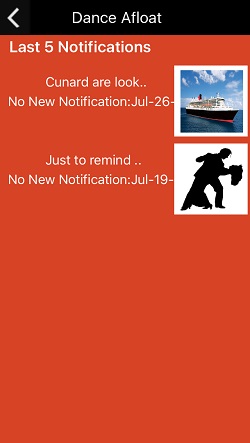
What are Notifications?
A Notification is a message or alert sent to your Phone or Tablet. It will disappear once the App is opened, but you can read all messages by pressing on the Bell twice -on the top right corner of the app.
If there are any questions on using the App, or you would like to see something on there which may help you, then let us know by email. Your feedback will help us develop this help page as well as develop the App for future use.

Google Play
App Store